Remote Support
Remote Support
Detecting your platform…
5
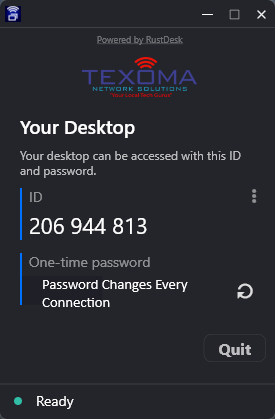
This is what the remote support window will look like after installation.
A TNS technician will be on the phone with you and will ask for the ID and One-time password shown on your screen. This creates a temporary support session so we can help fix your issue.
Once the session ends, TNS can no longer access your computer. The one-time password changes each time, so future access requires a new password from you.